
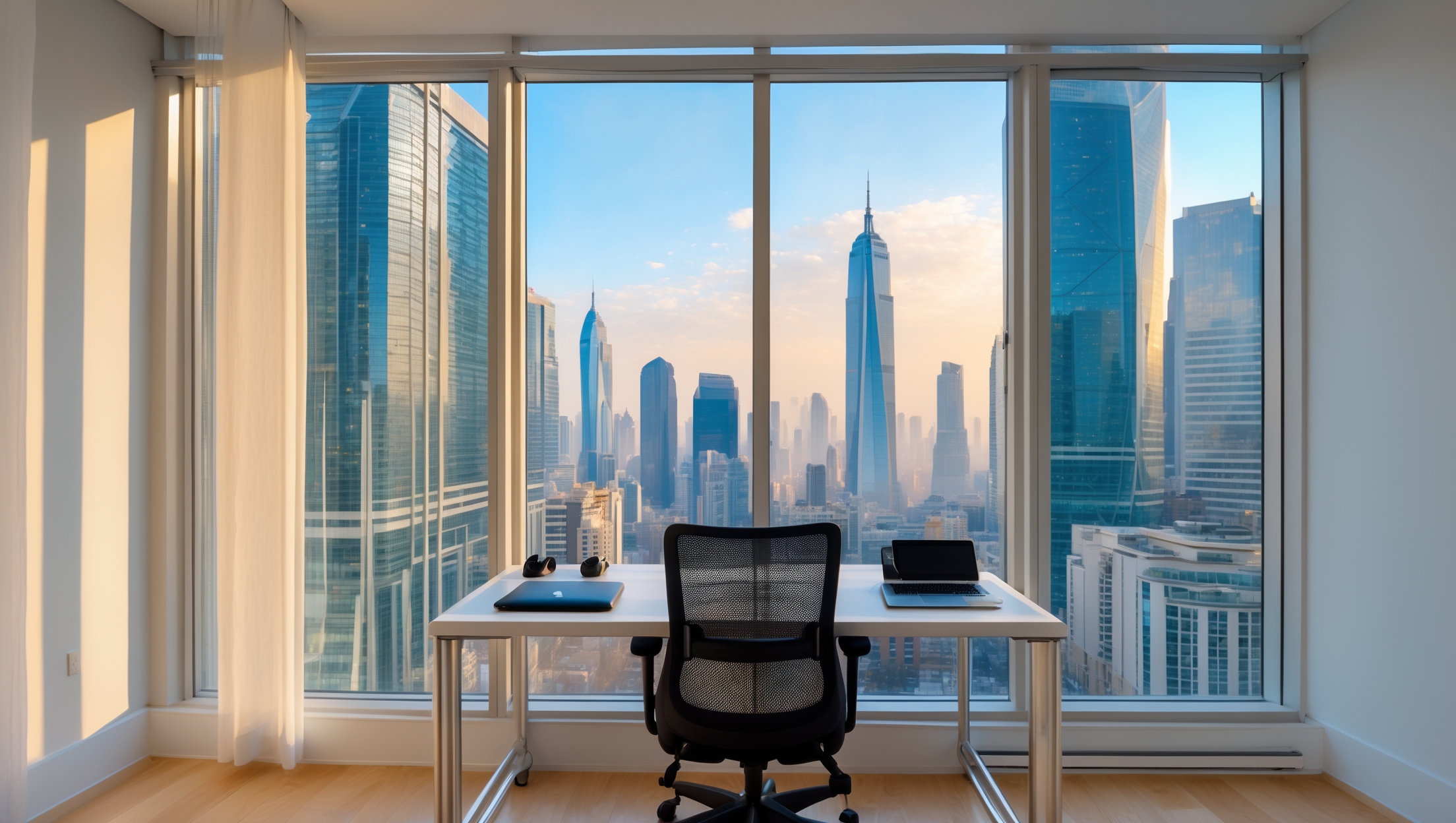
Introduction: Why a Remote Work-Ready Apartment Abroad Matters
In the age of flexible work and digital nomadism, more people than ever are living out their dreams of working from anywhere in the world. Whether you’re a freelancer hopping between European capitals or a remote employee settling into a long-term lease in Southeast Asia, your home base plays a critical role in both your productivity and your overall experience abroad. But transforming a generic rental into an effective remote workspace isn’t as simple as unpacking your laptop. It requires careful planning, strategic gear selection, and an understanding of what truly enhances comfort and focus—especially in unfamiliar environments. In this in-depth guide, we’ll walk you through the practical steps and smart investments needed to set up a remote work-ready apartment abroad. From essential tools and tech to ergonomic design tweaks and rental-specific considerations, you’ll find actionable advice to create a workspace that works for you, wherever your travels take you.
Choosing the Right Apartment: Foundation for Productivity
Key Features to Look for in a Rental
- Reliable Wi-Fi: Ask for speed tests or reviews from previous tenants. Fast, stable internet is non-negotiable for remote work.
- Natural Light: Look for large windows or good lighting. Natural light improves mood and focus.
- Quiet Environment: Avoid apartments above noisy streets, near bars, or in thin-walled buildings. Test for ambient noise at different times if possible.
- Flexible Layout: A living space with a nook, spare room, or adjustable furniture is ideal for carving out a dedicated workspace.
- Climate Control: Make sure the apartment has adequate heating or air conditioning suitable for local weather.
- Security: Secure entryways, locks, and a safe for valuables are important, especially in unfamiliar cities.
Red Flags to Avoid
- Poor or shared internet connections
- Insufficient outlets or power strips
- Inadequate lighting or ventilation
- No desk or table space (unless you plan to bring your own setup)
- Signs of mold, pests, or persistent maintenance issues
Essential Tools and Tech for a Portable Workspace
Must-Have Devices
- Laptop: Lightweight, with robust processing power and battery life. Consider models with international warranty support.
- Portable Monitor: USB-powered screens are compact and provide dual-display productivity on the go.
- Universal Power Adapter & Surge Protector: Protect your gear and ensure compatibility in any country.
- High-Quality Webcam & Microphone: External options often outperform built-ins and are vital for professional video calls.
- Noise-Cancelling Headphones: Block distractions in busy cities or noisy neighborhoods.
Connectivity & Backup Solutions
- Travel Router: Enhance weak Wi-Fi signals and create secure private networks.
- Local SIM Cards or Mobile Hotspot: Prepare for internet outages or work from cafes and parks.
- External Hard Drive or Cloud Backup: Protect critical files from loss or theft.
Ergonomics on the Move
- Portable Laptop Stand: Adjusts screen height to reduce neck strain.
- Foldable Keyboard and Mouse: Brings desktop comfort to any table.
- Travel-Friendly Ergonomic Chair or Seat Cushion: Many rentals have hard or uncomfortable chairs; a portable cushion can make a big difference.
Designing Your Workspace: Maximizing Comfort and Focus
Layout and Zoning
Start by designating a specific area as your workspace—even if it’s just a corner of a room. Use furniture or rugs to visually separate work and relaxation zones. If space is tight, consider a fold-out table or wall-mounted desk that can be tucked away when not in use.
Lighting and Ventilation
- Desk Lamp with Adjustable Brightness: Essential for working after dark or on gloomy days.
- Window Placement: Position your desk near a window for natural light, but avoid direct glare on your screen.
- Portable Fan or Air Purifier: Improves comfort and reduces fatigue, especially in dusty or humid climates.
Personalization and Wellbeing
- Plants: Small potted plants or fresh flowers boost mood and air quality.
- Noise Control: Use white noise apps or a compact sound machine to mask distracting sounds.
- Inspirational Decor: Add a piece of art, postcard, or photo from home for a touch of familiarity and motivation.
Rental-Specific Considerations for Remote Workers
Furniture and Equipment Upgrades
Many rentals abroad come with basic furnishings that may not suit long workdays. Don’t hesitate to request an extra chair, lamp, or desk from your landlord. In some cities, local Facebook groups or expat forums are great resources for sourcing inexpensive or secondhand furniture. If you’re staying long-term, investing in a quality chair or monitor can pay off in comfort and productivity.
Short-Term vs. Long-Term Rentals
For short stays, prioritize portability—choose gear that packs flat or fits in your luggage. For leases over six months, consider minor non-permanent modifications like a stick-on monitor riser or removable wall hooks for cable management. Always confirm with your landlord before making changes.
Security and Insurance
- Portable Safe: Secure laptops, documents, and backup drives when you’re out exploring.
- Renter’s or Travel Insurance: Make sure your policy covers electronics, especially in foreign countries.
Internet: Ensuring Reliable Connectivity Abroad
Assessing Wi-Fi Quality
- Request an actual screenshot of a speed test from your host.
- Check for reports of outages or downtime in the neighborhood.
- Read reviews on digital nomad forums or apartment review sites.
How to Improve Shaky Connections
- Bring a compact Wi-Fi range extender or mesh system for larger apartments.
- Set up your own travel router for security and stronger private Wi-Fi.
- Keep a pay-as-you-go SIM or mobile hotspot as a backup for video calls.
Productivity and Routine: Getting the Most from Your Setup
Time Zone Management
Use world clock widgets or apps to track client or team hours. Schedule deep work sessions when you’re least likely to be interrupted by local noise or distractions.
Work-Life Balance in a Small Space
- Physically ‘close’ your workspace at the end of the day—fold away your table or cover your laptop.
- Set clear work hours and communicate them to housemates or family.
- Take breaks outdoors to reset your mind—explore your new city, even for 10 minutes at a time.
Local Resources for Remote Workers
- Identify coworking spaces or coffee shops with reliable Wi-Fi for a change of scenery.
- Check for local meetups or expat groups for networking and socializing.
- Scout nearby print shops, office supply stores, or tech repair services.
Step-by-Step: Setting Up Your Remote Workspace Abroad
- Scout and Secure the Best Spot: Upon arrival, assess every room and choose the quietest, brightest area for your workspace.
- Test the Internet: Plug in all your devices and run a speed test. Set up your router/extender if needed.
- Assemble Furniture: Arrange your desk, chair, and monitor for ergonomic comfort. Use a cushion or portable chair if needed.
- Optimize Lighting: Position lamps and adjust curtains for the best lighting balance.
- Connect Tech: Set up your laptop, monitor, peripherals, and backup systems.
- Personalize the Space: Add plants, art, or personal items for motivation and comfort.
- Set Up Security: Store valuables in a portable safe and review apartment locks.
- Map Out Break Spaces: Identify a spot for quick breaks—balcony, window seat, or local park.
Maintenance and Upkeep: Keeping Your Setup Efficient
Weekly Checklist
- Clean your workspace and tech gear to prevent dust and clutter.
- Check power adapters and cables for wear or overheating.
- Update software and back up important files weekly.
- Reassess comfort—adjust chair, desk height, or lighting as needed.
Troubleshooting Common Issues
- Wi-Fi drops: Move closer to the router, reset devices, or switch to your backup hotspot.
- Ergonomic discomfort: Adjust your setup, switch chairs, or invest in a better cushion.
- Noise distractions: Try different noise-masking strategies or relocate within the apartment.
Conclusion: Designing Your Best Work Life Abroad
Setting up a remote work-ready apartment abroad is about more than just convenience—it’s a foundation for a fulfilling, productive, and healthy life as a global citizen. With careful planning, the right gear, and a thoughtful approach to space and routine, you can turn any rental into a personal headquarters that empowers your career and enhances your travels. Remember, the keys to success are flexibility and adaptability: every location presents new challenges, but with the tools and tips outlined above, you’re ready to meet them head-on. By investing in your comfort, security, and work-life balance, you’ll not only get more done—but you’ll also create lasting memories in every destination. So unpack your suitcase, set up your workspace, and embrace the adventure of working from anywhere in the world—confident that your apartment is ready to support your journey.
I noticed you recommend asking for Wi-Fi speed tests or tenant reviews before choosing an apartment. What’s the best way to do this from abroad, especially when language barriers or unresponsive landlords are an issue?
When language barriers or unresponsive landlords are a concern, try using short, simple messages in English or the local language with help from translation tools. Ask for a screenshot of a speed test, specifying websites like Speedtest.net. You could also check online forums or expat groups for real tenant reviews of the property or building. If possible, choose listings managed by agencies or platforms known for responsive communication and verified information.
You mention asking for speed tests or reviews from previous tenants to verify reliable Wi-Fi, but how do you typically request this information from landlords or property managers when language barriers exist, especially in non-English-speaking countries?
If there’s a language barrier, consider using simple, translated phrases or translation apps to communicate your request. You can politely ask for a recent internet speed test screenshot or results, using phrases like ‘Can you send me a photo of the Wi-Fi speed test?’ in the local language. For reviews from previous tenants, you might ask if they have any feedback or can share tenant contacts, again using translated messages. Many landlords are familiar with these requests from remote workers, so clear, concise communication usually works well.
When it comes to climate control, how much should I prioritize air conditioning versus just having fans if I’m on a tight budget? Is it usually easy to find rentals abroad that meet all these criteria for remote work?
If you’re on a tight budget, fans are a much more affordable option and can be effective in mild climates, but in hot and humid locations, air conditioning can make a big difference for comfort and productivity. As for rentals, it’s common to find places with basic amenities, but apartments that are fully equipped for remote work—including good climate control and desk setups—may require more searching or a slightly higher budget, depending on the country and city.
When looking for apartments with good climate control, especially in Southeast Asia, do you recommend budgeting for additional tech like portable AC units or air purifiers if the provided heating or cooling isn’t adequate? Curious how other remote workers handle this in rentals.
In Southeast Asia, many remote workers find that not all apartments have reliable or sufficient AC or air filtration. It’s common to budget for portable AC units or air purifiers, especially if you’re sensitive to heat or air quality. Some people check reviews or ask landlords directly about existing appliances, but being prepared to rent or purchase extra tech can make a big difference in comfort and productivity.
For families with kids, how do you balance creating a quiet, dedicated workspace in a remote apartment while also making sure there’s enough room and comfort for everyone, especially if the rental only has a flexible layout instead of a separate office?
Balancing work and family space in a flexible-layout apartment often comes down to using room dividers, bookshelves, or curtains to carve out a quiet corner for work. Try noise-cancelling headphones and set clear boundaries with your family about work hours. Multi-use furniture, like foldaway desks or portable tables, can help maximize space for both work and play, ensuring everyone has comfort and functionality.
The article notes the importance of climate control based on local weather. In your experience, are portable solutions like compact AC units or space heaters sufficient for short-term rentals, or should I prioritize apartments with built-in systems despite potential higher costs?
Portable solutions such as compact AC units and space heaters can work well for short-term rentals, especially if you only need to control the temperature in a small space or during mild weather. However, in climates with extreme heat or cold, built-in systems typically offer more consistent comfort and reliability. If you’ll be working for long hours or are highly sensitive to temperature changes, it may be worth the extra investment to choose an apartment with built-in climate control.
The article talks about finding apartments with flexible layouts for a dedicated workspace, but as a parent, I also need space for play and family time. Do you have tips on how to balance setting up a home office with making the rental practical for family living too?
Balancing a home office with family needs is definitely doable, even in a rental. Try using modular furniture or room dividers to separate your work area from play and family spaces. Opt for foldable desks or wall-mounted tables that can free up space when not in use. Storage bins or shelves can help keep work supplies and toys organized, making transitions between work and family time much smoother.
When you mention asking for speed tests or reviews from previous tenants to ensure reliable Wi-Fi, do you have any tips on what minimum speeds are ideal for video calls and file uploads, especially in countries where internet quality can really fluctuate?
For smooth video calls, aim for at least 10 Mbps download and 3 Mbps upload speeds. If you regularly upload large files, 10 Mbps upload is safer. In places with fluctuating internet, ask for recent speed test screenshots from peak and off-peak times, and see if others had issues with outages or drops in speed.
When looking for a rental abroad, how do you actually confirm that the Wi-Fi is as fast and stable as advertised? Are there specific questions or tools I should use before signing anything?
To confirm Wi-Fi quality before renting, ask the landlord for a recent speed test screenshot (using tools like Speedtest.net) taken inside the apartment. Also, ask about the connection type (fiber, DSL, etc.), average speeds, and if the router is private or shared. If possible, test the Wi-Fi yourself during a viewing. These steps help ensure the internet meets your remote work needs.
You mention making sure the apartment has reliable Wi-Fi and even requesting speed tests from previous tenants. What should I do if the landlord can’t provide a speed test or past reviews? Are there any quick ways to check the internet stability myself before signing a lease?
If the landlord can’t provide a speed test or past reviews, try visiting the apartment yourself and running a speed test using your phone or laptop. You can use free online tools that measure both speed and stability. If a visit isn’t possible, ask for a live video call from the apartment showing a speed test in real time. This helps ensure the connection truly meets your needs before you commit.
I see you recommend checking for climate control to match local weather, but in some countries air conditioning can really increase electricity costs. Do you have advice for balancing comfort and budget, or tips on identifying apartments with energy-efficient systems?
You’re right—air conditioning can drive up costs in some countries. Look for apartments with energy-efficient AC units (like those with inverter technology or a high energy rating). Ceiling fans or good cross-ventilation can also help keep things cool without heavy use. Checking for well-insulated windows and using blackout curtains makes a difference too. When possible, ask landlords about average utility bills and the specific model of the AC before booking.
When looking for a remote work apartment abroad, how do you usually confirm if the Wi-Fi is actually reliable before you sign the lease? Are speed tests from the landlord really trustworthy, or should I ask for something else?
It’s smart to be cautious with Wi-Fi claims. Rather than just accepting a landlord’s speed test screenshot, ask for a live video call tour where they run a speed test in real time. You can also check for independent reviews or chat with previous tenants about their experience. If possible, clarify the exact type of connection (fiber, DSL, etc.), and look up the provider’s reputation. These steps will give you a clearer picture of what to expect.
When you mention asking for speed tests to verify internet reliability before renting, do you have any tips on how to request this from landlords who might not be tech-savvy or responsive? Is it common for landlords abroad to provide detailed speed test results to potential renters?
It’s not always common for landlords abroad to proactively provide detailed speed test results, especially if they’re not tech-savvy. You can politely ask them to run a speed test using a website like Speedtest.net and send you a screenshot of the results. If needed, offer simple step-by-step instructions or suggest a video call where they can share their screen. Most landlords are willing to help if you explain it’s important for remote work.
When it comes to checking Wi-Fi reliability before signing a lease, what’s the best way to ask landlords or previous tenants for a speed test or reviews without sounding too demanding? Also, how much speed is really enough for video calls and regular remote work tasks?
You can politely ask landlords or previous tenants by saying you’re reliant on good internet for work and wondering if they could share a recent speed test result or describe their experience. This comes across as practical rather than demanding. For remote work and video calls, aim for at least 25 Mbps download and 5 Mbps upload speeds. This should cover smooth video conferencing and typical online tasks.
You mention asking for speed tests or reviews from previous tenants to check the Wi-Fi quality, but what if landlords are hesitant to share that info or it’s a new apartment without past tenants? Are there other ways to verify internet reliability before committing to a lease?
If the landlord can’t provide speed tests or reviews, you could ask to visit the apartment and do your own speed test during a tour. Alternatively, ask for the exact internet plan details and the name of the provider, then check online for reviews or coverage maps in that area. Sometimes, neighborhood forums or local Facebook groups can also offer up-to-date insights on internet reliability at that address.
When you mention asking for speed tests or reviews from previous tenants to ensure reliable Wi-Fi, do you have any tips on the best way to request these from landlords or property managers, especially in countries where English might not be widely spoken?
When reaching out to landlords or property managers, keep your message simple and clear. You can use basic English or a translation tool to write your request in the local language. Politely ask for a recent internet speed test screenshot and mention that you rely on stable Wi-Fi for work. If possible, request contact details for a previous tenant who can share their experience with the internet connection.
When you mention asking for Wi-Fi speed tests before renting, do you usually rely on screenshots from hosts, or is there a better way to confirm the internet is truly reliable before signing a lease, especially in areas where reviews are limited?
Screenshots from hosts can be helpful, but they’re not always foolproof, as they might not reflect typical speeds or reliability. If possible, request a real-time speed test during a video call walkthrough. You could also ask the host to share details about the internet plan and provider. If reviews are limited, consider short-term rental first to test the connection yourself before committing long-term.
When you mention asking for speed tests or reviews from previous tenants to ensure reliable Wi-Fi, do you have tips for how to request this information tactfully from landlords, especially in places where English isn’t the first language?
You can politely ask landlords by saying you rely on strong internet for work and would appreciate seeing recent speed test results. If language is a barrier, keep your request clear and simple, or use a translation app to write it in the local language. You might also ask if they can connect you with a previous tenant or provide screenshots from common speed test websites.
You mention the importance of good Wi-Fi and climate control for remote work. In cases where rentals don’t have reliable internet or air conditioning, what are some practical solutions or portable tech options to quickly set up these essentials without spending too much?
If your rental lacks reliable internet, a portable Wi-Fi hotspot (4G/5G) can be a budget-friendly solution—just check local SIM card options with good data plans. For climate control, a compact USB or battery-powered fan works well for small spaces, and portable evaporative coolers are another affordable option. Both are easy to pack or buy locally, so you can stay comfortable and connected without a big investment.
You mentioned asking for speed tests or reviews to make sure the Wi-Fi is reliable, but how do you actually check this before arriving in a new country? Are there any specific questions I should ask landlords or ways to verify the internet quality remotely?
To check internet quality before arriving, ask landlords for a recent screenshot of a speed test (using sites like Speedtest.net) taken from inside the apartment. You can also request specifics about the ISP, the plan’s speed, and whether the connection is wired or wireless. Reading reviews from previous tenants, if available, can also give insight. These steps will help you confirm the Wi-Fi meets your needs.
I see you mention checking Wi-Fi speed and reading tenant reviews before renting. With two kids doing online school and me working remotely, what minimum internet speed would you recommend for a family apartment abroad?
For a family with two kids attending online school and one adult working remotely, I would recommend a minimum internet speed of at least 50 Mbps download and 10 Mbps upload. This should comfortably support multiple video calls, streaming, and uploads at the same time. If all three of you will be in video meetings or classes at once, aiming for 100 Mbps or higher would add extra reliability.
You mention the importance of reliable Wi-Fi and even suggest asking for speed tests or past tenant reviews. In situations where rental listings don’t provide this information, do you have any recommendations for tools or strategies to independently verify internet quality before signing a lease?
If the rental listing doesn’t include Wi-Fi details, you can ask the landlord if you can visit and run your own speed test using apps like Ookla Speedtest or Fast.com on your phone or laptop. Alternatively, ask if a video call can be arranged to show a live speed test result. Also, look for local expat or digital nomad forums where previous tenants might share their experiences with internet quality in the building or area.
You mentioned climate control as a key feature, especially for adjusting to local weather. Are there affordable portable options renters can use if their chosen apartment lacks AC or sufficient heating, particularly in regions where installations aren’t common?
Absolutely, there are several affordable portable options if your apartment doesn’t have built-in AC or heating. For cooling, portable fans or compact evaporative coolers are great, budget-friendly choices. For warmth, small electric space heaters work well and are easy to move around. Both types usually require only a standard electrical outlet and don’t need installation, making them ideal for renters in places where permanent fixtures aren’t common.
I’m curious about your suggestions for creating a dedicated work area if the apartment only has a flexible layout or limited space. Are there any budget-friendly solutions to carve out a productive workspace in a small rental?
Absolutely, you can set up an effective workspace even in a small or open-plan apartment. Try using a compact foldable desk that can be tucked away when not in use, or designate a specific corner with a comfortable chair and good lighting. Room dividers, bookshelves, or even curtains can help visually separate your work area. Affordable accessories like desk organizers and wireless devices also help maintain a tidy, focused space.
I’m curious about how to check Wi-Fi reliability before signing a lease abroad, especially if the landlord only gives vague answers. Are there specific questions or apps you recommend for testing internet speed and stability during an apartment viewing?
When viewing an apartment, bring a device and ask to connect to the actual Wi-Fi you’d use. Use apps like Speedtest or Fast.com to measure download, upload, and ping. Along with speed, walk around the apartment to check the signal in each room. Ask the landlord for the internet plan details and provider name so you can research typical reliability online beforehand.
When you say to ask for speed tests or reviews from previous tenants about the Wi-Fi, what’s the best way to actually get that info before signing a lease, especially if there’s a language barrier or if I’m booking remotely?
To get reliable Wi-Fi info before signing, try asking your landlord or agent directly for a recent internet speed test screenshot. If you’re booking through an apartment platform, message the host with your request—they’re often used to this. For reviews, use translation tools to read comments from past tenants, or politely ask the host to share feedback from previous remote workers. If possible, join local expat or digital nomad groups online to ask others about their experiences with that building or provider.
The article mentions looking for apartments with flexible layouts for a dedicated workspace. If you are moving with kids and need shared living space, what creative solutions would you suggest to set up an ergonomic work spot without taking over the whole apartment?
Consider using room dividers, bookshelves, or curtains to section off a corner for work without sacrificing shared space. Foldable desks or wall-mounted tables can be set up during work hours and tucked away when not in use. Also, look for furniture that serves dual purposes, like storage ottomans or extendable tables, to keep the area organized and comfortable for both work and family life.
As a parent who often works abroad with kids in tow, I’m curious if you have any recommendations on setting up a child-friendly workspace within a remote work-ready apartment, especially when space is limited. Is there gear or layout advice that can help balance productivity and family life?
For a child-friendly workspace in a small apartment, consider a foldable desk or wall-mounted table that you can quickly pack away when not working. Use noise-canceling headphones and a sturdy laptop stand to reduce clutter. For kids, set up a small play area nearby with quiet toys or activities, separated by a low shelf or small divider if possible. This helps you supervise while maintaining your focus.
You mention asking for speed tests or reviews from previous tenants to ensure the Wi-Fi is reliable. Do you have any tips for how to approach landlords or property managers about sharing this information, especially in situations where there might be a language barrier?
When asking landlords or property managers about Wi-Fi, try being clear about your needs. You could politely request recent speed test screenshots or contact info for previous tenants willing to share their experiences. If language is a barrier, use simple language or a translation app, and consider preparing your questions in the local language in advance. This shows respect and makes communication smoother.
You mention checking for reliable Wi-Fi and even asking for speed tests from previous tenants. What is the best way to request or verify this information when booking through large rental platforms that don’t always connect you directly with previous renters?
When booking through large rental platforms, you can message the host directly and politely ask for a recent screenshot of an internet speed test from the apartment. You can also check the listing’s reviews for comments about Wi-Fi quality. If possible, request details like the type of connection and average speeds. It’s reasonable to ask for this information, and responsible hosts are usually happy to provide it.
I noticed you recommend apartments with dedicated nooks or flexible layouts for a workspace, but in cities where rental options are limited, do you have any tips for creating an ergonomic and quiet workspace within just one small room? How can we work around space and noise limitations affordably?
Absolutely, you can create an ergonomic and quiet workspace even in a single small room. Use noise-canceling headphones or a white noise machine to reduce distractions. For ergonomics, a compact laptop stand and an external keyboard can turn any table into a healthier workstation. A foldable screen or curtain can add privacy and minimize visual distractions. These solutions are budget-friendly and easy to move if you relocate.
If I’m renting an apartment in a city where air conditioning isn’t standard, what affordable solutions do you recommend for comfortable remote work during hotter months without making major changes to the space?
Portable fans are a budget-friendly and flexible option—you can position them near your workspace or window for better airflow. Consider a tower or oscillating fan for a wider cooling effect. Blackout curtains or thermal blinds help keep heat out during the hottest parts of the day. Also, using a cooling gel seat cushion or lightweight, breathable clothing can make your remote work setup more comfortable without altering the apartment.
Do you have suggestions for creating a quiet workspace in an apartment with thin walls or street noise, especially if I am traveling with young children? I’m curious how other families manage distractions in less-than-ideal rental environments.
Creating a quiet workspace in noisy apartments can be challenging, especially with young kids. Many families use noise-cancelling headphones or white noise machines to help block out sound. Setting up your workspace in a corner away from windows or shared walls can reduce distractions. Some parents coordinate focused work times with their children’s naps or screen time, and consider using room dividers or thick curtains to create a sense of separation.
I noticed you listed climate control as an important factor, but in some places utilities can get really pricey. Do you have any tips for balancing comfort with managing energy costs when working remotely in a hot or cold climate abroad?
Balancing comfort and energy costs is definitely important. Consider using fans instead of air conditioning when possible, and close curtains during the hottest or coldest parts of the day to help regulate temperature. Investing in energy-efficient appliances and using smart plugs or timers to control usage can also help. Layered clothing and portable heaters or coolers are flexible options for personal comfort without raising the whole apartment’s energy bill.
You mentioned finding apartments with a flexible layout for a dedicated workspace. What are some practical ways to create that workspace if the only available rental is a small studio or doesn’t have an obvious nook?
If your rental is a small studio without a clear workspace, look for multi-purpose furniture like a fold-out desk or a sturdy table that can double as a dining area. Use room dividers or bookshelves to separate your work zone visually from your living space. Position your desk near a window for natural light, and keep your work essentials organized with baskets or wall-mounted shelves to maximize every inch of space.
I see you recommend finding a rental with a flexible layout and a dedicated workspace. If the only available apartment doesn’t have a clear separate area for work, what are some creative solutions or furniture choices to make a productive workspace in a small or shared living area?
If your apartment lacks a separate room for work, try using a folding screen or bookshelf to visually section off a work corner. A compact, foldable desk can fit in small spaces and be tucked away when not in use. Consider noise-cancelling headphones and a comfortable chair to help you focus, and use good task lighting to brighten your workspace even if it’s in a shared area.
The article mentions asking for speed tests or reviews from previous tenants to ensure reliable Wi-Fi, but how do you actually get access to those reports before signing a lease, especially if you’re abroad and dealing with a language barrier?
To get Wi-Fi speed test results or reviews before signing a lease, you can ask the landlord or property manager directly for recent screenshots of speed tests taken in the apartment. If there’s a language barrier, consider using translation apps to communicate your request clearly. You can also look for rental listings on platforms that display tenant reviews, or join local expat forums and social media groups to ask about the building’s reputation for internet reliability.
I see you mention the importance of climate control in the apartment. For someone on a tight budget, are there affordable tools or travel hacks you recommend to stay comfortable when heating or AC in the rental isn’t great?
Absolutely, there are budget-friendly ways to manage comfort. A portable fan or small space heater can make a big difference and are often inexpensive. Window insulation film or draft stoppers help with temperature control. Lightweight blackout curtains can block out heat or cold. Even a simple hot water bottle or cooling gel pack can help you stay comfortable without relying solely on the rental’s heating or AC.
For apartments in locations with unpredictable climates, would you recommend prioritizing climate control features like air conditioning over natural light, or is there a way to balance both when touring potential rentals?
When searching for apartments in places with unpredictable climates, it’s possible to balance both climate control and natural light. Look for units with large windows that can be opened for ventilation but also feature quality blinds or curtains to manage heat and light. Prioritize air conditioning or good heating if extreme temperatures are common, but don’t sacrifice natural light entirely—just make sure you can control how much sunlight enters, keeping comfort in mind.
I noticed you recommend avoiding apartments with insufficient outlets or power strips. In situations where electrical upgrades are not allowed by the landlord, what temporary solutions do you suggest for safely adding the necessary power access for a full remote work setup?
If you’re unable to make permanent changes, consider using high-quality surge protector power strips with built-in overload protection to extend your access safely. Make sure not to overload any one outlet, and spread out high-draw devices like monitors or chargers across different outlets if possible. Also, look for power strips with USB ports to maximize charging flexibility. Always check the voltage compatibility with your devices, especially if you’re abroad.
When looking for apartments abroad, how do you actually verify the Wi-Fi quality besides just asking the landlord? Are there certain apps or websites you recommend for running reliable speed tests before committing to a lease?
To check Wi-Fi quality, you can ask for a recent screenshot of a speed test from the apartment, such as using Speedtest by Ookla or Fast.com. If you visit in person, run these tests yourself on your own device in different rooms. Some remote workers also request a short video call from the apartment to see the connection in real-time. These steps go beyond just trusting the landlord’s word.
You mention asking for speed tests or tenant reviews to check the Wi-Fi, but what if I arrive and realize the internet is still unreliable? Are there any backup tech solutions or tips for quickly troubleshooting poor connections in a new apartment abroad?
If you find the Wi-Fi unreliable after arrival, consider using your phone as a mobile hotspot with a local SIM card for immediate backup. Portable Wi-Fi routers (MiFi devices) are also handy and work with local data plans. For quick troubleshooting, try relocating closer to the router, restarting the modem, or using an Ethernet cable if possible. You can also ask neighbors about their internet setups or check if other providers offer better coverage in your apartment.
Do you have any suggestions for how to verify Wi-Fi speed and reliability before signing a lease abroad, especially if you can’t visit the apartment in person first? Are there certain questions to ask landlords or ways to check remotely?
Ask the landlord for a recent screenshot of a speed test from the apartment, using a tool like Speedtest.net, with the date visible. You can also request the name of the internet service provider and plan details to look up typical speeds and reviews. Additionally, inquire if the connection is fiber, cable, or DSL, and whether the Wi-Fi is private or shared. If possible, arrange a brief video call from inside the apartment to see the connection in real time.
How do you usually check Wi-Fi speed and reliability before signing a lease, especially if you can’t physically visit the apartment first? Are there any specific questions you recommend asking landlords or ways to verify the connection remotely?
Ask the landlord for a recent screenshot of a speed test from websites like Speedtest.net, taken inside the apartment. You can also request details about the internet service provider, the plan’s speed, and whether the Wi-Fi is private or shared. If possible, arrange a live video call to see the Wi-Fi in action. Also, ask if there’s a history of outages or stability issues.
When moving into a rental abroad, how do you actually verify the reliability of the Wi-Fi before committing? Are there any specific questions you ask landlords or tips for getting honest info, especially if you can’t visit in person first?
To verify Wi-Fi reliability remotely, ask the landlord for a recent screenshot of a speed test taken in the apartment, ideally using a service like Speedtest.net. Request the name and plan details of the internet provider so you can check reviews or coverage online. Also, ask if the connection is private or shared with neighbors, as shared networks can be slower. If possible, talk to previous tenants for their experience.
Do you have any recommendations for handling power outages or unreliable electricity, especially in regions where climate control and internet stability can be affected? I’m curious about essential backup gear or strategies for minimizing disruption in those situations while working remotely.
To handle power outages and unstable electricity, consider getting an uninterruptible power supply (UPS) for your laptop and Wi-Fi router, so you have time to save work and switch to backup options. A portable power bank that supports laptops can also help. For internet, a mobile hotspot or SIM card with data is useful when Wi-Fi goes down. Solar chargers are a good backup in sunny regions. Keep your devices fully charged whenever possible and have key files downloaded for offline access.
You talk about looking for apartments with flexible layouts and adjustable furniture for a dedicated workspace. In city centers where space is limited, do you have any creative tips for setting up an ergonomic remote work area without making big purchases or permanent changes to the rental?
You can create a comfortable workspace in a small city apartment by using portable laptop stands, stacking books for monitor elevation, or repurposing a dining table as your desk. Use a sturdy dining chair and add a pillow for lumbar support. For privacy, set up a folding screen or hang a curtain as a divider. Cable organizers and baskets help keep things tidy without permanent fixtures.
When it comes to reliable Wi-Fi, do you have any tips for verifying speed and stability before actually moving in? I find that landlords sometimes overstate the quality, and I would love to know what checks you use beyond just a screenshot of a speed test.
To truly verify Wi-Fi quality, ask the landlord to do a live video call from inside the apartment, ideally at different times of day, to see real-time stability and coverage. Request videos showing repeated speed tests from several rooms. Also, check if the router is private or shared with neighbors, and ask for the exact service provider and plan details so you can research typical performance and reviews in that building or area.
I noticed you suggest finding apartments with a flexible layout or adjustable furniture for a dedicated workspace. Do you have recommendations for inexpensive portable desk setups or workspace solutions that work well in rentals where you can’t make permanent changes?
Absolutely, for rentals where permanent changes aren’t allowed, consider a foldable laptop desk or a compact rolling cart that can double as a workspace and be moved easily. Laptop stands paired with a portable chair also work well. Look for clip-on or clamp lamps for lighting, and use cable organizers that stick on surfaces without leaving marks. These options are affordable, space-saving, and won’t damage the apartment.
I noticed you mentioned asking for speed tests or tenant reviews to check Wi-Fi reliability before moving in. From your experience, how do you actually request this from landlords abroad, and are there any tools or specific questions that help ensure you get trustworthy information about the internet quality?
When contacting landlords abroad, you can politely ask them to run an internet speed test using a site like Speedtest.net and send you a screenshot with the date visible. It also helps to ask if current tenants are available to share their experiences or reviews about the Wi-Fi. Specific questions like ‘Is the connection fiber or DSL?’ and ‘Does the router belong to the apartment or the building?’ can give more insight into reliability as well.
You mention the importance of natural light and a quiet environment for productivity. If I have to prioritize due to budget constraints and can’t get both, which factor would you say has a bigger impact on focus and work performance, especially for someone on long business calls?
If you often take long business calls, prioritizing a quiet environment will have a bigger impact on your focus and work performance. Background noise can be distracting for both you and the person on the other end of the call, making it harder to concentrate and communicate clearly. While natural light is beneficial for mood and energy, a peaceful workspace is usually more essential for productivity during calls.
You mention that climate control is important when choosing a rental, especially for long-term stays. If I’m trying to stick to a tight budget, are there affordable ways to add heating or cooling if the apartment doesn’t have good options built in?
There are definitely budget-friendly ways to improve climate control in a rental. Portable fans or space heaters are usually inexpensive and don’t require installation. Thermal curtains can help keep temperatures stable by blocking out heat or retaining warmth. If you’re staying longer, consider a small portable air conditioner or an electric blanket, depending on the climate. Just check with your landlord about what’s allowed and be mindful of electricity costs.
When checking for reliable Wi-Fi in a new apartment abroad, have you found it best to trust speed tests provided by landlords, or do you bring your own tools for verification? Any tips for dealing with situations where advertised speeds turn out to be inaccurate?
It’s a good idea to verify the Wi-Fi speed yourself, rather than relying solely on landlord-provided tests. Bring a device with a speed test app (like Ookla or Fast.com) and test the connection in various rooms. If the actual speeds are lower than advertised, discuss it with your landlord right away and see if an upgrade or alternative provider is possible. Having a backup data SIM or portable hotspot can also help if issues persist.
For someone on a tighter budget, how would you prioritize the features you listed, like natural light, climate control, or a flexible layout? Which ones are truly non-negotiable for long-term productivity if I can’t get everything in one apartment?
If your budget is tight, prioritize natural light and a comfortable, quiet workspace above all else, as these have the biggest impact on productivity and well-being. Good lighting helps with focus and mood, and a dedicated spot for work limits distractions. Climate control and flexible layouts are helpful, but if you have to compromise, you can often adjust with affordable fans, heaters, or space dividers. Start with what helps you work efficiently every day—light and a quiet area are truly non-negotiable for most people.
The article mentions the importance of reliable Wi-Fi when choosing an apartment abroad. How do you recommend verifying internet quality before moving in, especially in countries where online listings might not be very detailed or up-to-date?
To check internet quality before moving in, try asking the landlord or agent for a recent speed test result from the apartment. You can also connect with previous tenants or neighbors through local forums or expat groups to get firsthand info. If that’s not possible, consider booking a short stay first and running your own speed test before committing to a longer lease.
I’m planning a remote work stint abroad with my kids, but many rentals seem to only mention Wi-Fi and not show actual speed test results. Do you have any tips for how families can reliably check internet speed before booking, especially if reviews are limited?
When listings lack speed test results, consider messaging the host and politely ask for a current internet speed test screenshot. Specify you need both download and upload speeds. If possible, look for platforms or property managers who cater to remote workers, as they may be more responsive to such requests. To add extra assurance, check if the area offers reliable mobile data as a backup, which can be helpful for family needs.
You mention asking for speed tests or reviews to check Wi-Fi reliability before renting. In practice, how do you usually request these from landlords or agents abroad, especially if there’s a language barrier? Any tips for verifying network stability before signing a lease?
When inquiring about Wi-Fi, you can politely ask the landlord or agent to send a screenshot of an internet speed test (for example, using speedtest.net). You might write your message in simple English and use translation tools for their language if needed. Also, ask if the connection is fiber or DSL and if previous tenants have worked remotely. If possible, arrange a brief video call from the apartment to check live connection quality before committing.
The article suggests looking for apartments with flexible layouts or spare rooms to set up a dedicated workspace. What tips do you have for making a productive work spot in a small studio if extra rooms aren’t an option?
In a small studio, try to designate a specific corner as your work zone, even if it’s just a small table by a window. Use compact, foldable furniture to save space, and keep work essentials organized in storage bins or shelves. Good lighting is key—consider a desk lamp to help you focus. If possible, use a room divider or even a curtain to create a sense of separation between work and relaxation areas.
You talked about making sure the apartment has adequate heating or AC for local weather. When apartment hunting in countries with extreme climates, would you prioritize newer construction for better insulation, or is it more about what appliances are provided by the landlord?
Both factors are important, but insulation in newer construction often makes a big difference in extreme climates, helping maintain comfortable temperatures and lower energy costs. However, having efficient heating or AC appliances is just as crucial. Ideally, try to find a newer building with good insulation and confirm with the landlord that reliable climate control appliances are already installed and well-maintained.
You mentioned checking for natural light and quiet spaces in a rental, but in some cities it feels like you have to compromise. Any suggestions for prioritizing either a quieter environment or better lighting, especially on a tight budget?
If you need to prioritize, think about your work style: If video calls and focus are vital, a quieter space might come first. For natural light, even a small window can help—just try to position your workspace near it. In budget rentals, you can use noise-canceling headphones for sound issues or add affordable lamps to boost lighting if needed. Sometimes, small adjustments make a big difference.
When looking for an apartment abroad, how can I actually verify the Wi-Fi speed before signing a lease if I’m unable to visit in person? Are there specific questions I should ask landlords or previous tenants to make sure I won’t end up with poor or shared internet?
To verify Wi-Fi speed remotely, ask the landlord or agent to run a speed test (using a site like Speedtest.net) at the apartment and send you a screenshot with the date and time visible. Also, ask if the connection is private or shared, and what type of internet plan is in use. If possible, request contact details for current or past tenants to confirm their experience with reliability and speed.
You mentioned asking for Wi-Fi speed tests or reviews from previous tenants when choosing an apartment abroad. In your experience, are landlords generally receptive to these requests, and is there a best way to approach this without seeming overly demanding?
Landlords in popular remote work destinations are becoming more familiar with these requests and are usually open to providing Wi-Fi speed test results, especially if you ask politely. You might say you rely on fast internet for work and would appreciate a recent speed test screenshot or contact information for previous tenants. Framing it as a routine part of your apartment search helps keep the tone friendly and professional.
I noticed the article talks about having a flexible apartment layout for carving out a workspace. If most listings in a city have limited space or lack an obvious work nook, do you have any creative tips for designing a productive setup in just a small studio or shared common area?
Absolutely, small spaces can still work well for remote setups. Try using a compact, foldable desk or even a sturdy side table as a dedicated work surface that you can move as needed. Consider vertical storage like wall shelves to keep supplies handy but off the floor. If you’re in a shared space, noise-cancelling headphones and a portable privacy screen (like a lightweight room divider or even a tall plant) can help create a more focused environment.
You mention checking for reliable Wi-Fi and even asking for speed tests or reviews from previous tenants. If I’m looking at apartments in an area where English isn’t widely spoken, what’s the best way to verify internet speeds before committing to a rental?
In areas where English isn’t common, you can request a speed test screenshot from the landlord using a popular tool like Speedtest.net. You might want to prepare a translated message in the local language explaining what you need. Also, searching for local expat groups on social media can help you get firsthand feedback about internet quality in specific buildings or neighborhoods before making a decision.
As a small business owner who needs to be on video calls a lot, how do you find apartments abroad with reliable enough Wi-Fi, especially in regions where speed-test info from landlords is limited? Are there any backup options you’d recommend if the connection turns out to be unstable after you move in?
To find apartments with reliable Wi-Fi, look for listings specifically mentioning high-speed internet, and ask landlords for recent speed test screenshots if possible. Reviews from previous tenants can also reveal internet reliability. As a backup, consider getting a local SIM card with a generous data plan for mobile hotspot use, or invest in a portable Wi-Fi device. Coworking spaces are another great fallback if your apartment’s connection proves unstable.
Do you have any tips for verifying the reliability of Wi-Fi in an apartment before signing a lease, especially if the landlord only provides their own speed test results? I’m worried about internet quality when working remotely in a new country.
One good way to verify Wi-Fi reliability is to request a live video call with the landlord from inside the apartment, asking them to share their screen and run a speed test in real time. You can also ask for the exact internet plan details and look up reviews of the local ISP. If possible, see if neighbors or prior tenants can share their internet experiences in the building.
You mentioned that reliable Wi-Fi is crucial and recommended asking for speed tests or reviews from previous tenants. If neither is available, are there any specific apps or techniques you suggest for independently testing the internet connection before signing a longer lease?
If you can’t get speed test results or reviews from previous tenants, you can run your own tests during a viewing. Use apps like Ookla Speedtest or Fast.com on your phone or laptop to check both download and upload speeds. Try running tests at different times of day to catch any fluctuations, and consider checking Wi-Fi strength in different rooms to ensure consistent coverage.
I noticed you mention asking for speed tests or reviews from previous tenants regarding Wi-Fi reliability. What specific questions should I ask a landlord to be sure the internet connection is truly work-ready for video calls and large file uploads?
To ensure the internet is suitable for remote work, ask the landlord about the type of connection (fiber, DSL, cable), the average download and upload speeds, and whether the speed is consistent during peak hours. Request a recent screenshot of a speed test taken from inside the apartment. Also, ask if the router is private or shared with other units, and whether previous tenants successfully used video calls and cloud services without issues.
When looking for apartments abroad, is it more important to prioritize natural light or a quiet environment if you can’t get both? I’m worried my options will be limited in some cities and I’m not sure which would impact working from home more.
If you have to choose between natural light and a quiet environment, prioritize quiet for remote work. Noise can make it difficult to focus and join calls, whereas you can often supplement limited light with good lamps or LED lighting. A calm, quiet apartment generally leads to better productivity and fewer distractions during work hours.
If I find an apartment that has great natural light but lacks flexible furniture like a desk or task chair, do you have recommendations for easy or affordable ways to set up a comfortable workspace without making big changes to the rental?
Absolutely, you can create a comfortable workspace without major changes. Look for portable laptop stands or folding tables—they’re lightweight and easy to set up or store. For seating, try using a supportive cushion on a dining chair or invest in an affordable ergonomic seat pad. Even small accessories like a clip-on lamp or a footrest can make a big difference in comfort and productivity.
You mention asking for speed tests or reviews from previous tenants when checking Wi-Fi reliability. In your experience, how do you actually request this from landlords or agents abroad without sounding too demanding, and what should you watch out for in the responses?
When inquiring about Wi-Fi, you can politely say you’re reliant on stable internet for work and ask if they could share a recent speed test result or connect you with a tenant who worked remotely. Most landlords are used to this request nowadays. Watch out for vague answers or reluctance to share specifics—this could indicate unreliable service. A clear screenshot or direct feedback from a previous tenant is a positive sign.
When you mention asking landlords for speed tests or reviews about the Wi-Fi, what should I look for in a speed test result to know if it’s really reliable for video calls and large file uploads? Any minimum speed you’d recommend?
For video calls and large file uploads, look for at least 25 Mbps download and 5–10 Mbps upload speeds on a speed test. Reliable connections should also have low latency (ping under 50 ms). Ask for a screenshot of the speed test taken at the apartment, ideally during the day when you’ll be working, to ensure the results reflect real conditions.
I noticed the article suggests prioritizing natural light and a quiet environment, but in some cities it’s tough to find both in the same apartment. If I have to choose, which feature do you think is more important for long-term productivity while working remotely?
If you have to choose between natural light and a quiet environment, a quiet environment is generally more important for long-term productivity. Noise and distractions can seriously impact your focus during work hours. While natural light is great for your mood and energy, you can often improve lighting with good lamps, but finding true quiet is much harder to fix.
I noticed you mention finding apartments with flexible layouts for a dedicated workspace. If the available rentals in my price range only have one main living area, what are some practical tips or budget-friendly hacks to carve out an effective workspace without making permanent changes?
If you’re working with a single living area, try using furniture like a bookshelf or a folding screen to visually separate your workspace. Consider a compact desk that can double as a dining or side table. Use a desk lamp and a comfortable chair to define your work zone. Wall-mounted organizers, peel-and-stick hooks, or portable storage trays can keep things tidy, all without requiring permanent changes.
When checking out apartments abroad, how do you actually ask a landlord or property manager for a Wi-Fi speed test or past tenant reviews? Is it pretty common for them to share that info, or does it make you seem pushy?
It’s perfectly reasonable to ask about Wi-Fi speed and past tenant reviews when considering an apartment abroad. Politely explain you’re planning to work remotely and would appreciate a recent screenshot of a speed test. You can also ask if previous tenants have left feedback or if they can connect you with someone for a quick reference. Most professional landlords are used to these requests and will understand it’s part of making sure the place fits your needs.
I noticed the article recommends climate control as an essential feature, but sometimes that can be expensive or hard to find in certain countries. Do you have any budget-friendly tips for staying comfortable in apartments abroad that lack strong heating or air conditioning?
Absolutely, staying comfortable without strong heating or AC can be challenging, but there are affordable options. For warmth, try using layered clothing, thermal curtains, and portable space heaters if permitted. In hot climates, use fans, keep blinds closed during the hottest hours, and consider lightweight bedding. Portable air coolers and moisture-absorbing products can also help control humidity and temperature without a big investment.
I noticed you mention checking for reliable Wi-Fi and even asking for speed tests in the apartment. How do you typically verify internet quality before arriving if you’re booking from overseas, and what would you suggest if the landlord can’t provide recent speed test results?
To verify internet quality before arriving, I recommend asking the landlord for a screenshot of a recent speed test taken inside the apartment, showing both upload and download speeds. If the landlord can’t provide this, check for online reviews from past guests that mention Wi-Fi, or contact nearby cafes or coworking spaces to ask about their connection as a backup plan. Also, consider bringing a portable hotspot just in case.
You mention asking for internet speed tests or tenant reviews before committing to a rental, but how do you actually verify this in practice, especially if you’re booking from overseas and can’t test it yourself? Any tips to avoid getting stuck with unreliable Wi-Fi?
To verify internet quality from abroad, ask the landlord or host to send you a screenshot of a recent speed test from the apartment—preferably using a site like Speedtest.net. Also, request contact info for recent tenants so you can ask about their actual experience. Look for rentals with lots of specific Wi-Fi mentions in reviews, and consider coworking-friendly platforms where strong internet is prioritized. If possible, book shorter stays at first, giving you flexibility if the connection isn’t as advertised.
When looking for rentals that advertise high-speed internet, how do you verify if the connection is actually fast and stable? Are speed tests from previous tenants enough, or is there another way to avoid unreliable or shared connections?
Speed tests from previous tenants are a helpful starting point, but they don’t always guarantee you’ll get the same results. It’s a good idea to ask the landlord for a screenshot of a recent speed test taken inside the apartment, ideally connected via Wi-Fi. Also, inquire if the internet is private or shared among units. If possible, confirm the specific internet plan with the provider. This extra step can help you avoid unreliable or overcrowded connections.
You mention that climate control is important, especially in different climates. For places without central AC or heating, what affordable options would you recommend to make a small apartment more comfortable year-round for remote work?
For apartments without central AC or heating, portable solutions work well. Consider a compact space heater for colder months and a portable air conditioner or fan for warmer weather. Draft stoppers and thermal curtains can also help maintain indoor temperatures. These options are usually affordable and effective for keeping a small space comfortable while you work remotely.
When looking for an apartment abroad that has reliable Wi-Fi, how do you actually verify the internet speed before moving in, especially if landlords are not always transparent? Are there any specific questions or tools you recommend using during the search process?
To check internet speed before moving in, ask the landlord for a recent screenshot from a site like Speedtest.net taken inside the apartment. Request details about the ISP, service plan, and whether the connection is fiber, cable, or DSL. If possible, visit the apartment and run your own speed test using your phone or laptop. You can also ask current tenants about their experience with the connection for extra assurance.
I noticed you recommend checking for reliable Wi-Fi by asking for speed tests or reviews from previous tenants. Do you have any tips on how to approach landlords or property managers with these requests, especially in countries where English isn’t widely spoken?
When contacting landlords or property managers, keep your request simple and polite. Try using clear, direct language or a translation app to bridge language gaps. You can write a brief message asking for a recent Wi-Fi speed test screenshot or contact details for previous tenants. If communication is difficult, consider using a local friend or rental agency to help with the conversation.
I noticed you suggest looking for natural light and quiet environments, but sometimes apartments with those features can be a lot more expensive. Do you have any budget-friendly tips for creating a focused workspace in a rental that might lack those ideal conditions?
Absolutely, you can still create a focused workspace on a budget. If natural light is limited, try using bright, adjustable LED lamps to mimic daylight. For noise, consider noise-canceling headphones or a white noise app to help block distractions. Rearranging furniture to face away from busy areas and adding a simple room divider or curtain can also help define your workspace and reduce interruptions.
Can you recommend any budget-friendly ways to set up adequate climate control in an apartment that doesn’t already have proper heating or air conditioning, especially for longer stays in regions with unpredictable weather?
For budget-friendly climate control, consider using portable fans or space heaters, which are usually inexpensive and don’t require installation. Thermal curtains help insulate windows and keep temperatures stable, while draft stoppers can be used on doors to minimize heat loss or entry. A dehumidifier or humidifier can also make rooms feel more comfortable without major expense. These solutions are portable, so you can easily take them with you if you move apartments.
If the apartment doesn’t have much natural light or has old lighting fixtures, do you have any suggestions for portable lighting options that are easy to pack and set up? I’m trying to avoid paying a lot or installing anything permanent.
For apartments with limited natural light, consider portable LED desk lamps or clip-on lamps, which are lightweight and easy to pack. You might also find battery-operated puck lights useful; they can stick to surfaces without installation. Foldable ring lights are another good option for video calls. These are all affordable, require no permanent setup, and can brighten up your workspace quickly.
When setting up a work-ready space abroad, how much control do renters usually have over changing things like lighting or furniture layout? If the apartment is pretty basic, what are some renter-friendly fixes for improving light and comfort without risking my security deposit?
Renters typically have limited control over major changes, but you can usually move furniture or add temporary lighting without issue. To improve lighting, consider using floor or desk lamps and LED strip lights that don’t require installation. For comfort, add cushions, rugs, and ergonomic accessories like laptop stands. These changes are portable and won’t damage the property, so your security deposit remains safe.
I noticed you recommended choosing a rental with climate control like air conditioning or heating. If I’m renting in a country where utilities are costly or not included, do you have tips on balancing comfort with energy efficiency and keeping expenses manageable?
Absolutely, balancing comfort and energy costs is important. Opt for rentals with good insulation and ceiling fans to reduce reliance on air conditioning or heating. Use blackout curtains to keep rooms cool or warm as needed. Look for energy-efficient appliances, and set thermostats to moderate temperatures. Turning off units when not at home and dressing for the climate are also practical ways to stay comfortable while managing expenses.
Do you have any advice on how to confirm internet reliability before signing a lease abroad, especially if previous tenant reviews aren’t available or the landlord can’t provide a speed test?
If you can’t get previous tenant feedback or a speed test from the landlord, try asking for the exact internet service provider (ISP) and plan used at the apartment. Then check the ISP’s coverage and reputation in the area online. Visiting the apartment in person and running your own speed test is ideal if possible. You can also ask neighbors in the building about their experiences or check local expat forums for insights about connectivity in that building or neighborhood.
I noticed climate control is listed as a key feature, but in places with older buildings or limited AC, what budget-friendly options do you recommend for staying comfortable while working remotely without spending a lot on energy bills?
In older buildings or places with limited AC, try using fans to circulate air and create a breeze—tower or desk fans can be very effective. Opt for light, breathable curtains to block harsh sunlight but let air flow. You can also use cooling gel pads on your chair, and keep windows open during cooler hours. Wearing lightweight clothing and staying hydrated also help keep you comfortable while working.
If the apartment I’m looking at abroad has unreliable Wi-Fi but is otherwise perfect, are there specific portable hotspots or backup internet solutions you recommend that actually work well for video calls?
If the apartment’s Wi-Fi is unreliable, consider getting a portable 4G or 5G hotspot device, such as ones from Skyroam, Netgear, or Huawei. Make sure to use a local SIM card with sufficient data for video calls. Alternatively, check if your phone supports tethering so you can use it as a hotspot. These solutions generally work well for video calls if you have a good mobile signal.
You mention asking landlords for internet speed tests or past tenant reviews. Have you ever run into situations where landlords won’t provide this info, and if so, how do you handle verifying the Wi-Fi before committing to a place abroad?
Yes, sometimes landlords may not have speed test results or are hesitant to share them. In those cases, try asking for a recent screenshot of a speed test taken in the apartment or request a video call where they show the result live. You can also look up reviews of the building or complex online, or ask local expat groups for feedback. If possible, book a short stay first to test the Wi-Fi yourself before committing long-term.
You mentioned checking for reliable Wi-Fi and even asking for speed tests from previous tenants. How do you usually go about getting this information before signing a lease, especially if you’re dealing with a landlord who doesn’t seem very tech-savvy?
If the landlord isn’t tech-savvy, you can politely ask if they’d be willing to run an online speed test (like Speedtest.net) and send you a photo or screenshot of the results. If that’s not possible, ask for a written description of their usual internet experience, or try reaching out to previous tenants for their feedback. Some apartment listings also include the ISP and plan details, which you can verify with the provider.
You mention climate control as a key feature when picking an apartment abroad for remote work. If I’m moving somewhere with an unpredictable climate, what are some portable or easy-to-install solutions I can use in rentals that might lack proper heating or air conditioning?
If your rental lacks reliable heating or cooling, consider portable options like a compact electric space heater for warmth and a portable air conditioner or evaporative cooler for hot days. Fans, especially tower or oscillating types, can help air circulation. Window insulation film and thermal curtains are easy to install and help regulate temperature. These solutions are typically renter-friendly and can be easily removed when you move out.
When checking out apartments abroad, how can I reliably determine if the Wi-Fi and climate control are actually as good as advertised before signing a lease? Are there specific questions or tests you recommend beyond speed tests from previous tenants?
To assess Wi-Fi, ask for a live video call inside the apartment and request a real-time speed test in various rooms. For climate control, ask for recent utility bills to see if the AC or heating is used often and effectively. Also, inquire about the exact model and maintenance history of the climate system, and ask for confirmation that it is independently controlled rather than shared with the building.
You mentioned making sure the apartment has climate control suitable for the local weather. I’m curious about budget-friendly options for places that might only have basic fans or heating. Are there portable gadgets you’d suggest that are easy to bring along but effective?
Absolutely, there are some great portable gadgets for climate control that are both budget-friendly and travel-friendly. For hot climates, consider a compact evaporative cooler or a high-powered USB desk fan. For colder areas, a plug-in ceramic space heater works well and many models are small enough to pack. Also, a thermal blanket can boost warmth at night without much bulk. Just check wattage compatibility with local outlets before you buy.
You mentioned looking for flexible layouts and good climate control. In your experience, which one has a bigger impact on day-to-day productivity if you can only prioritize one due to budget or availability?
If you have to choose between flexible layouts and good climate control, I’d recommend prioritizing climate control. Being too hot or too cold can really affect your focus and energy throughout the day, while some creative arrangements can often make up for a less-than-ideal layout. Comfort is key for sustained productivity, especially when working remotely for long hours.
For small business owners who might be managing a team remotely from an apartment abroad, do you have any tips for finding reliable Wi-Fi beyond asking for speed tests from the landlord? Are there backup solutions in case the primary connection goes down?
When renting abroad, it’s smart to research local internet providers and see if fiber-optic is available in the area. Check coworking spaces nearby as a backup workspace with solid Wi-Fi. Consider getting a portable Wi-Fi hotspot with a local SIM card for emergencies, and tethering from your phone as a last resort. Having multiple options ensures you can stay connected if your main connection fails.