
Introduction: Why Your Home Workspace Abroad Matters
Relocating to a new country as an expat or long-term traveler can be exhilarating, but if you’re among the growing number of remote workers, freelancers, or digital nomads, your home workspace becomes as important as your passport. Whether you’re working full-time, freelancing, or just want a reliable setup for personal projects, establishing a productive, comfortable, and compliant workspace abroad is crucial for both your efficiency and well-being.
Many expats underestimate the challenges of setting up a functional home office overseas. From unanticipated costs and local regulations to sourcing reliable equipment and managing cultural work habits, the process can be full of surprises. This detailed guide walks you through every step—budgeting, equipment selection, compliance, local tips, and realistic solutions—so you can hit the ground running in your new home. Whether you’re moving to a bustling European city, a tropical Southeast Asian town, or anywhere in between, this hands-on tutorial will help you avoid common pitfalls and create a workspace that works for you.
Budget Breakdown: What Does a Home Workspace Abroad Really Cost?
Understanding Your Needs
Before making any purchases, clarify how you’ll use your workspace. Will you need video conferencing, dual monitors, or just a quiet spot for a laptop? These needs will drive your costs and priorities.
- Basic setup: Laptop, ergonomic chair, desk, lamp, reliable power outlet (approx. $200–$600, depending on country and sourcing new vs. used).
- Intermediate setup: Add monitor, external keyboard/mouse, surge protector, basic printer (approx. $400–$900).
- Advanced setup: Dual monitors, standing desk, high-speed router, backup power supply, ergonomic accessories (approx. $800–$2000+).
Hidden and Ongoing Expenses
- Internet upgrades: Many rentals abroad offer basic Wi-Fi that’s insufficient for video calls—budget $20–$60/month for upgrades or mobile hotspots.
- Electricity: Costs vary; in some countries, extra electronics can significantly increase your bill. Factor in $10–$40/month.
- Office supplies: Paper, pens, organizational tools (approx. $10–$30/month).
- Maintenance and repairs: Factor in local repair costs (average $30–$80 per incident).
Always check local marketplaces for used furniture and electronics. In many countries, you’ll find high-quality secondhand items at a fraction of the retail price.
Choosing and Sourcing Essential Tools and Equipment
Laptops and Computing Devices
If you’re bringing your own laptop, ensure it’s compatible with local voltage and plug types. Otherwise, research local electronics retailers or expat forums for recommendations. In some countries, electronics are pricier due to import taxes—factor this into your budgeting.
- Consider lightweight, easily repairable models with international warranty.
- Check for authorized repair centers in your new city.
Desks and Ergonomic Seating
Local furniture shops and online marketplaces like Facebook Marketplace, OLX, or Gumtree can yield bargains. If you’re renting furnished, check if the provided desk is suitable for extended use—many are too small or poorly designed.
- Seek adjustable chairs and desks if possible.
- Test before buying; comfort is key for long-term productivity.
Monitors and Accessories
Monitors can be heavy and not worth shipping internationally. Buy locally, and check compatibility with your devices and power supply. If you need adapters or voltage converters, purchase high-quality models with surge protection.
- Look for local electronics shops with good return policies.
- Shop during local sales or consider ex-rental equipment sellers for savings.
Connectivity Tools
A robust internet connection is non-negotiable. Research the most reliable ISPs in your area—expat or digital nomad groups are invaluable for real-world reviews. Consider a backup mobile hotspot or SIM card to cover outages.
- High-gain Wi-Fi adapters can improve signal in older buildings.
- Quality surge protectors and UPS devices safeguard against unstable electricity.
Lighting and Environment
Proper lighting boosts comfort and reduces eye strain. In many countries, daylight hours and window placement vary. Supplement with adjustable LED desk lamps, and consider blackout curtains if you’re in a bright or noisy area.
Local Sourcing Tips
- Attend expat swap meets for bargains on used office equipment.
- Check local buy/sell groups and bulletin boards at co-working spaces.
- Understand warranty and return policies—these can differ dramatically from your home country.
Compliance and Permits: Navigating Local Regulations
Residential Use Regulations
In some countries or cities, running a home office from a residential rental may require landlord approval or even a permit, especially if you’re meeting clients or receiving business mail. Check your rental contract and local laws to avoid complications.
Tax and Legal Considerations
Some jurisdictions require you to register your business locally if you’re working for yourself, even remotely. This can have implications for taxation, social security, and visa status. Consult a local accountant or legal expert who works with expats, and never rely solely on online hearsay.
- Ask if home-based business activity is allowed in your building or neighborhood.
- Inquire about any zoning laws that affect work-from-home setups.
Utilities and Safety Compliance
Older buildings may have outdated wiring or insufficient power outlets. Have a qualified electrician inspect your setup if you’re running multiple electronics. In some countries, you may need surge protectors with specific certifications.
- Check if your building has regular power outages—if so, invest in a UPS or backup battery.
- Ensure all equipment meets local safety and electrical codes.
Maintenance Best Practices for Your Workspace Abroad
Cleaning and Organization
Regular cleaning is essential, especially in humid or dusty climates where electronics can quickly accumulate grime. Invest in cleaning wipes, compressed air, and cable organizers to keep your setup tidy and functional.
- Schedule a weekly wipe-down of all surfaces and electronics.
- Keep drinks and food away from your work area to prevent spills.
Power and Connectivity Checks
Test your surge protectors, extension cords, and backup power regularly. In developing countries, voltage fluctuations can damage sensitive equipment. Label all cables and devices to make troubleshooting easier.
Routine Equipment Checks
Set a monthly reminder to update software, back up data, and check for wear or damage to cables and plugs. If you notice flickering screens or overheating, seek repairs promptly—local service centers may require extra lead time for parts.
Local Know-How: Culture, Etiquette, and Productivity Tips
Adapting to Local Work Culture
Work-life boundaries differ around the globe. In some cultures, mid-day breaks are common; in others, work hours may start earlier or later than you’re used to. Observe local habits and try to sync your schedule where possible, especially if collaborating with local colleagues or clients.
Noise and Privacy Solutions
Thin walls, bustling neighborhoods, or vibrant street life can make concentration a challenge. Invest in noise-canceling headphones or use white noise apps to create a productive environment. If privacy is an issue, portable room dividers or heavy curtains can help.
Staying Connected with Local Communities
Join expat or nomad groups online and offline. Co-working spaces often host social events and can provide backup workspaces during power outages or when you need a change of scenery. These communities are also great sources of local advice and equipment swaps.
Local Emergency Contacts
Keep a list of local emergency numbers (fire, police, medical), your landlord or building manager, and a trusted repair technician. Knowing who to call in a crisis saves time and stress.
Step-by-Step Workspace Setup: Practical Tutorial
- 1. Assess your space: Choose the quietest, brightest spot with access to power outlets.
- 2. Map out your needs: List which devices, furniture, and accessories you require for your work style.
- 3. Set a budget: Factor in initial purchases and monthly recurring costs.
- 4. Source equipment: Prioritize comfort for long-term items (chair, desk). Use local expat resources for best deals.
- 5. Set up connectivity: Test internet speeds, install a reliable router, and arrange backup internet if necessary.
- 6. Organize and cable-manage: Use trays, clips, or ties to keep cables neat and reduce trip hazards.
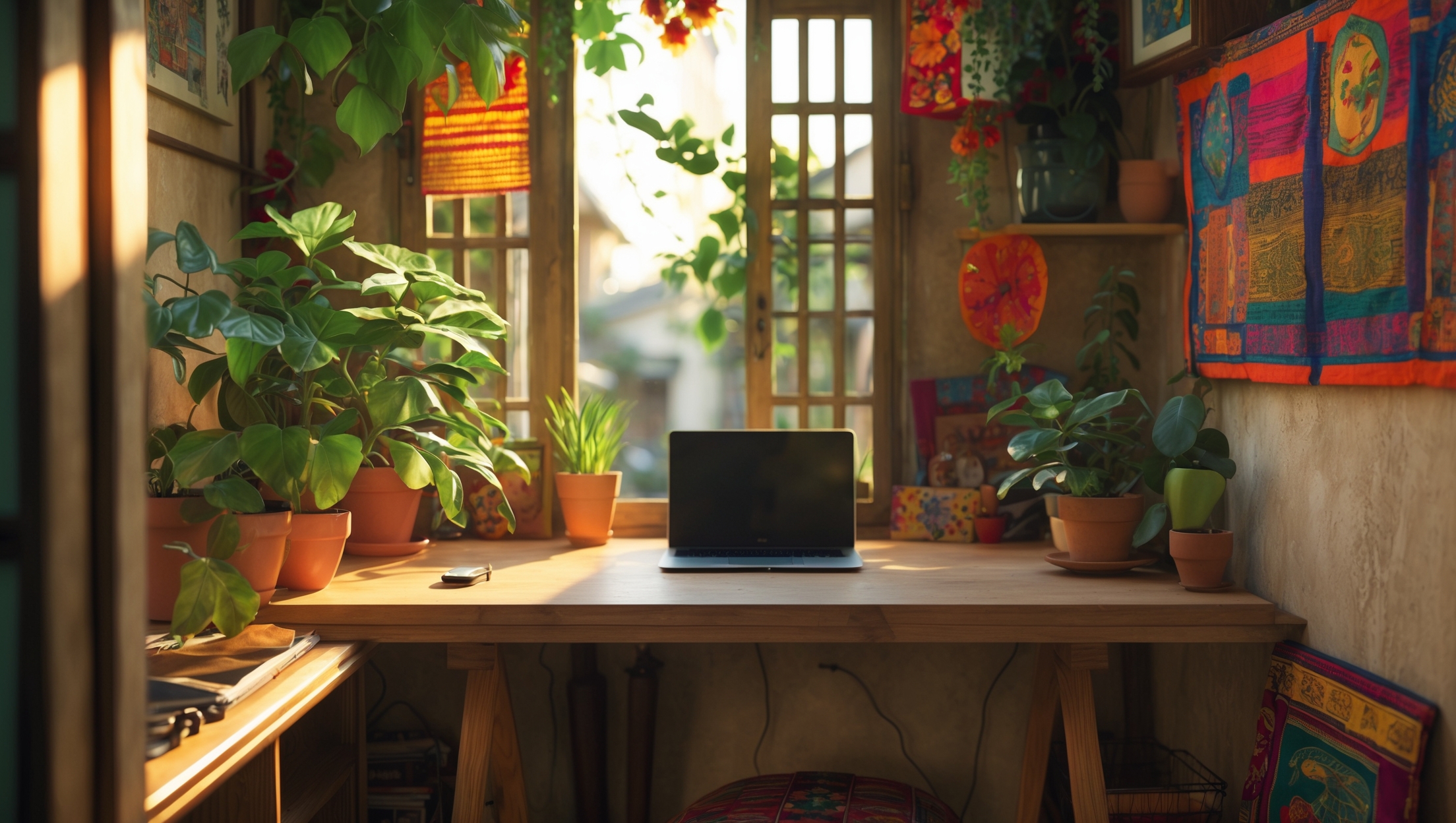
- 7. Personalize and optimize: Add local touches (plants, art), adjust lighting, and tweak layout until you’re comfortable.
- 8. Run a test day: Simulate a full workday to identify pain points and make adjustments.
- 9. Review compliance: Double-check local regulations and building rules.
- 10. Maintain regularly: Schedule cleanings, software updates, and equipment checks.
Safety Checklist: Protecting Yourself and Your Gear
- Use surge protectors and, if necessary, voltage converters.
- Keep your workspace free of clutter and liquids.
- Store backup copies of important documents and data off-site or in the cloud.
- Install security software and lock devices when away.
- Ensure your workspace has adequate ventilation and temperature control.
- Check exits and know emergency procedures for your building.
Conclusion: Make Your Workspace Work for You—Anywhere in the World
Setting up a home workspace abroad is far more than just finding a desk and plugging in your laptop. It’s about understanding the local market, adapting to new cultural rhythms, and proactively managing costs, safety, and compliance. Each country brings its own blend of challenges and opportunities—some offer abundant, affordable office furniture, while others require creative sourcing through expat networks or local thrift shops.
The most successful expat workspaces are those tailored to both your professional needs and the realities of your new location. Take the time to research, plan, and adapt. Don’t hesitate to tap into local communities for insider tips on sourcing, safety, and compliance. Remember, your workspace isn’t just a physical area—it’s the foundation for your productivity, comfort, and, ultimately, your experience abroad.
By investing thoughtfully in the right tools, understanding local quirks, and maintaining your setup, you’ll not only boost your efficiency but also feel more at home—no matter where your journey takes you. So whether you’re in a high-rise in Tokyo, a colonial apartment in Lisbon, or a beachside bungalow in Bali, use these strategies to create a workspace that empowers you to thrive both professionally and personally. Happy working—and exploring!
When you mention local regulations and compliance for setting up a home office abroad, do you mean things like registering electronics or just noise/work hour restrictions? I’d love some examples—especially for someone heading to Southeast Asia.
Local regulations can cover a range of issues, not just noise or work hours. In Southeast Asia, for instance, you might need to register imported electronics with local authorities, ensure your internet equipment meets government standards, or follow rules about home businesses in residential areas. Some countries require a work permit even for remote work, and others may have restrictions on using certain software or VPNs. Always check local guidelines to avoid fines or interruptions.
I noticed you emphasized budgeting for internet upgrades since many rentals offer only basic Wi-Fi. How can expats verify internet reliability before signing a lease, and are there specific service providers or solutions you recommend for ensuring consistent video call quality abroad?
To check internet reliability before signing a lease, ask the landlord for a recent speed test screenshot, and try to run your own test during a viewing. You can also chat with current tenants or neighbors about their experience. For consistent video call quality, consider providers known for stable connections in that country—often the largest telecom companies. Some expats use mobile data hotspots or portable Wi-Fi devices as backup solutions, especially if they work remotely or travel often.
When it comes to internet upgrades abroad, how do you recommend dealing with landlords who are unwilling to let you change the service or hardware in a rental apartment? Are there workarounds or portable solutions you’ve found effective for keeping up with video calls?
Dealing with restrictive landlords can be tricky, but there are some good options. Portable Wi-Fi hotspots (using local SIM cards with generous data plans) can be very effective and don’t require installing any hardware. USB cellular modems are another choice. If mobile signal is weak indoors, a window-facing spot often helps. For video calls, prioritize devices with strong antennas and consider signal boosters if allowed. These solutions avoid changes to the existing setup and keep you connected.
I noticed you mentioned budgeting for high-speed internet upgrades, especially since many rentals come with only basic Wi-Fi. In your experience, how easy is it to actually arrange for better internet if you don’t speak the local language? Any tips for navigating this with landlords?
Upgrading internet in a foreign country can be manageable, but it does depend on where you are and your landlord’s willingness to help. If you don’t speak the local language, ask your landlord if they can arrange the upgrade or act as a translator with the provider. It’s helpful to research providers and plans in advance, then share this information with your landlord. Sometimes, written requests using simple language or translation apps can help bridge any gaps if your landlord isn’t familiar with the process.
The article mentions budgeting for equipment and ongoing internet upgrades, but how do costs typically compare between buying new versus used office gear in countries like those in Southeast Asia? Are there reliable sources for secondhand equipment, or is it safer to buy new?
In Southeast Asia, buying secondhand office gear can save you quite a bit compared to new, often at half the price or less. Major cities have reliable sources, including Facebook Marketplace, Carousell, and local expat groups. However, warranties and after-sales support are usually better with new items from larger stores. If reliability and support are crucial, buying new is safer, but for tight budgets, secondhand is a solid option if you inspect items before purchasing.
Could you elaborate on how reliable the process is for sourcing used office equipment locally versus bringing items with you when moving abroad? I’m particularly interested in any challenges related to quality or compatibility you’ve encountered in different regions.
When sourcing used office equipment locally abroad, reliability can vary widely. In some regions, you might find quality secondhand items through local marketplaces or expat groups, but compatibility can be an issue—especially with chairs, desks, or electronics (like plugs and voltage). Bringing your own gear ensures familiarity and quality, but shipping costs, customs, and possible damage during transit are challenges. If you go local, inspect items in person and check compatibility with local power standards.
For someone moving to a Southeast Asian town, do you find it’s usually better to buy equipment like monitors and ergonomic chairs locally, or is it worth the hassle to bring things from home despite airline baggage limits? Wondering which option tends to be more cost-effective overall.
In most Southeast Asian towns, it’s typically more cost-effective and convenient to buy monitors and ergonomic chairs locally. Imported electronics and furniture are widely available, often at reasonable prices, and you’ll avoid the extra airline baggage fees and hassle. Unless you need specialized gear that’s hard to find, shopping locally usually saves money and makes settling in easier.
Regarding the budget ranges listed for basic, intermediate, and advanced setups, how much do these estimates typically vary between urban and rural areas in popular expat regions? I’m trying to decide how much flexibility I should build into my initial budget.
Budget estimates for home workspaces can vary quite a bit between urban and rural areas, sometimes by 20–40 percent or more. Urban areas tend to have higher prices for both equipment and services like internet or furniture delivery. In rural locations, you might save on rent and some basics, but may face higher costs or limited options for certain tech or ergonomic items. It’s smart to add a buffer of at least 30 percent to your budget if you’re unsure about your specific location.
The article breaks down costs for basic, intermediate, and advanced home workspace setups abroad. How often do expats typically need to upgrade their equipment or internet plan as their needs evolve, and should that be factored into the initial budget?
Expats often find they need to upgrade equipment or internet plans every 1–2 years, especially if work requirements change or technology advances. It’s a smart idea to factor potential upgrades into your initial budget, perhaps by setting aside an extra 10–20% as a contingency. This helps cover unexpected needs or improvements as your workspace evolves.
When budgeting for an advanced home workspace abroad, how realistic is it to find ergonomic chairs and standing desks in smaller towns or less developed countries? Should I plan to ship these larger items from the US or is it usually feasible to buy them locally?
Finding ergonomic chairs and standing desks in smaller towns or less developed countries can be hit or miss. In bigger cities, you might find local or imported options, but smaller towns usually have limited choices and higher prices for such items. Shipping from the US can be costly and complicated due to customs, but is worth considering if your workspace comfort is a top priority. Many expats buy basic local furniture and add ergonomic accessories brought from home or ordered online. If you’re particular about quality, it’s wise to research local options ahead or budget for shipping.
You mentioned budgeting for internet upgrades, but how do you recommend handling situations where the landlord isn’t willing to improve the existing Wi-Fi? Is it common to get your own connection set up, or are mobile hotspots reliable enough for daily video calls in most places?
If your landlord won’t upgrade the Wi-Fi, it’s often possible to set up your own internet connection, though this depends on the country’s regulations and the building you’re in. Many expats do this for reliability. Mobile hotspots can work well in urban areas with strong 4G or 5G, but they may struggle with sustained video calls if the signal is weak or data limits are strict. Always check local providers and test speeds before committing.
The budget ranges for setting up a workspace abroad vary quite a bit depending on needs. Can you share more about typical ongoing expenses besides internet, like repairs or replacements, and if there are ways to save when buying equipment in a new country, such as finding good secondhand options?
Ongoing expenses for a home workspace abroad can include equipment repairs, replacing parts like cables or chargers, and maintaining furniture. Prices will vary by country, but buying secondhand can save a lot—check local online marketplaces, expat forums, or community boards for deals. Some places also offer refurbished electronics at lower prices with warranties. It’s also wise to set aside a small monthly budget for unexpected repairs or upgrades.
The budget ranges you mention seem pretty wide depending on the country. Could you give an example of what a realistic setup would cost in a place like Portugal versus Thailand, including any hidden monthly expenses like internet or power backup?
In Portugal, a basic home workspace setup (desk, chair, monitor) might cost around 400–600 euros, with monthly internet at 30–40 euros and low backup power needs. In Thailand, you could set up for 250–400 USD, internet runs about 15–25 USD per month, but power backups like a UPS (uninterruptible power supply) are more common due to occasional outages, costing an extra 50–80 USD one-time. Utilities and internet costs are generally lower in Thailand, but reliable power can be a hidden expense.